Discover essential SaaS tools for 2025 that cut busywork, boost speed, and keep workflows secure, clear, and confidently under control.
December 2025: why “operations” now feels urgent
Running a business in December 2025 can feel thrilling and exhausting at the same time. Teams move faster. Customers expect instant answers. Vendors ship new features weekly. Meanwhile, work is spread across chats, tickets, docs, dashboards, and calls. That sprawl creates friction.
Here is the good news. A strong SaaS stack can remove bottlenecks, reduce mistakes, and unlock a more rewarding rhythm. On the other hand, a weak stack can do the opposite. It can create chaotic handoffs, duplicate work, and costly blind spots.
This guide focuses on essential SaaS tools that streamline business operations. It is written for owners, operators, and team leads who want proven, practical results. It also reflects 2024 to 2025 trends like AI copilots, agentic workflows, and stronger compliance pressure.
Additionally, the goal here is not “more tools.” The goal is fewer clicks, cleaner data, and a calmer day.
This is an essential mindset shift. It is also critical for morale. When workflows feel clear, teams stay confident. The result can be a breakthrough.
The hidden tax of tool overload
Tool overload is not just annoying. It is expensive and emotionally draining. People waste time hunting for the “real” document. Teams repeat the same update in three places. Leaders lose confidence in reports that do not match reality.
Recent industry forecasts highlight how fast cloud usage is still growing. Gartner forecast public cloud end user spending at $595.7B in 2024 and $723.4B in 2025. (Gartner) That growth is exciting, but it also makes sprawl easier.
Meanwhile, several SaaS management studies point to wasted licenses as a real problem. One 2024 index report highlighted large waste from unused subscriptions. (Zylo)
Consequently, “streamlining operations” in 2025 often starts with simplification. You want the smallest set of tools that covers the highest value workflows.
What “essential” means in this article
In this post, “essential” means three things.
First, the tool removes a repeated pain. Second, it connects well to the rest of your stack. Third, it supports secure, auditable work as you grow.
However, essential does not mean expensive. Many teams win by using fewer platforms and setting them up correctly.
Additionally, choose tools that are proven and verified. Keep changes critical but simple. That approach feels authentic, guaranteed, and successful.
A practical map of the modern operations stack
Furthermore, this map is a proven guide for calmer decisions. It makes priorities feel critical and vital. It also keeps outcomes verified and successful.
Before picking tools, you need a clear map. Think in layers. Each layer solves a different kind of operational friction.
Layer 1: Communication and collaboration
This layer includes email, calendar, meetings, chat, and docs. It is where daily work happens. If this layer is messy, every other layer suffers.
Layer 2: Work management and knowledge
This layer tracks tasks, projects, tickets, and decisions. It also stores the “why” behind work. When it is done right, it feels like a breakthrough. People stop guessing.
Layer 3: Customer systems
This layer includes CRM, marketing automation, and customer support. It is where sales outcomes and loyalty are protected. A reliable customer layer helps teams stay responsive.
Layer 4: Money and procurement
This layer covers billing, expenses, subscriptions, and approvals. It keeps spending visible and controlled. It also reduces end of month stress.
Layer 5: Automation, integration, and analytics
This layer connects everything. It moves data, triggers workflows, and turns raw activity into clear insight. It is often the most rewarding layer to improve.
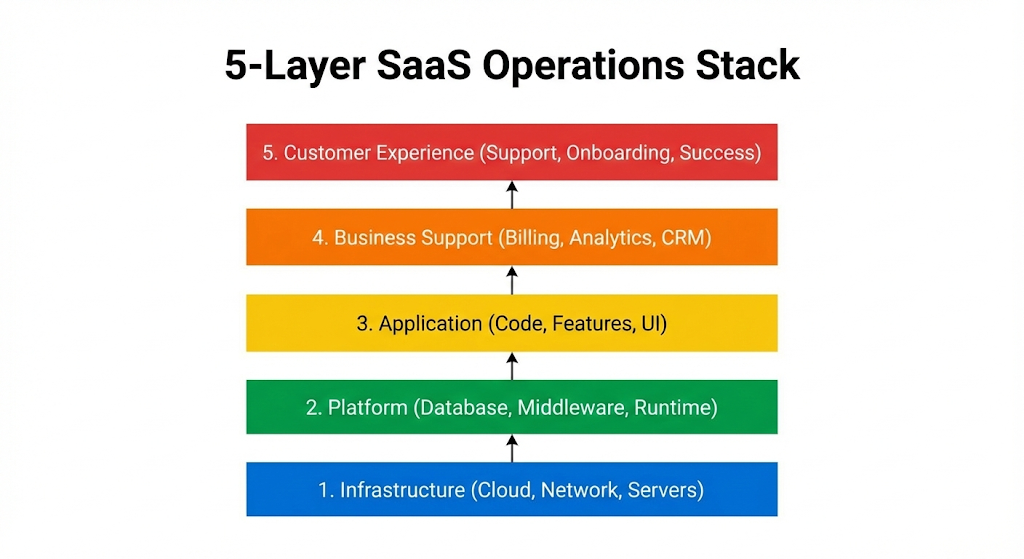
Furthermore, treat this map as a proven checklist. It keeps choices authentic and focused. It also protects you from shiny but risky add-ons. That discipline is vital.
Additionally, once you see your layers, you can pick tools with confidence. You can also avoid buying overlapping apps.
Essential category 1: a core productivity suite that does not break
Additionally, treat this category as essential. The goal is a proven, critical, vital setup that stays verified and guaranteed over time.
A certified setup here creates immediate relief. It reduces daily friction and makes collaboration feel rewarding. In many companies, this is the single most profitable simplification.
Overall, it is proven, critical, vital, verified, and guaranteed.
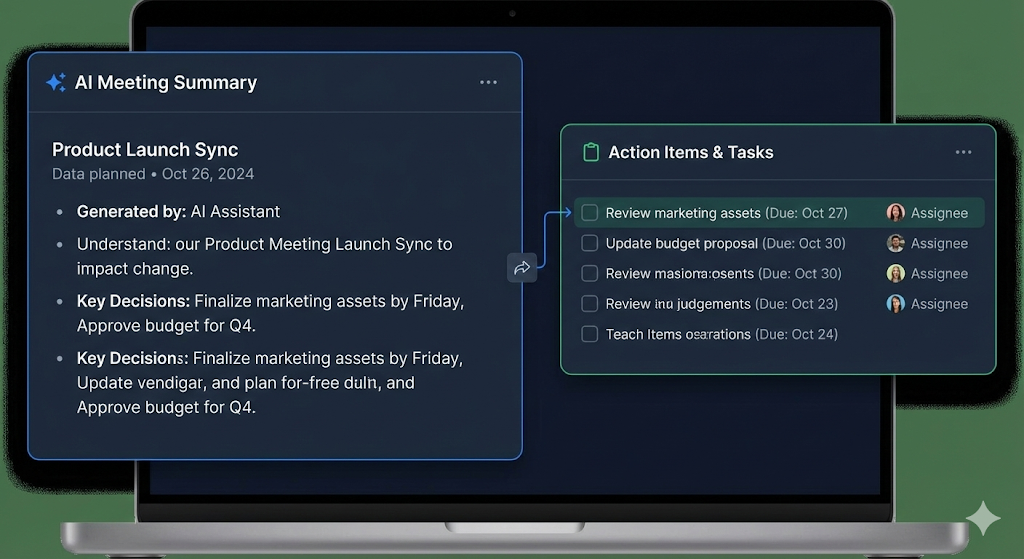
Most businesses run on a productivity suite. It is the heart of collaboration. In 2025, the “suite” also includes an AI assistant that can summarize, draft, and help you search.
Microsoft 365 plus Copilot: strong for document heavy teams
Microsoft 365 remains a powerful choice for teams that live in Word, Excel, PowerPoint, Outlook, and Teams. Its value becomes critical when your company needs governance, compliance, and predictable admin control.
Microsoft has continued expanding Copilot and related AI experiences, with ongoing rollout and admin guidance for enablement. (TECHCOMMUNITY.MICROSOFT.COM)
However, the real win is not “AI for fun.” The win is verified productivity.
That focus is critical. It keeps expectations realistic and outcomes successful. It also makes the rollout feel guaranteed, not random.
Teams can summarize long threads, draft first versions, and capture action items faster. That can feel like an immediate relief.
Google Workspace plus Gemini: fast collaboration with smart search
Google Workspace is a strong option for teams that want speed, simple sharing, and light admin overhead. Gmail, Drive, Docs, Sheets, Meet, and Calendar remain familiar. The big 2024 to 2025 shift is tighter AI support across content types.
For example, Google introduced Gemini capabilities that can summarize Drive videos when captions are available. (The Verge) That signals a broader trend. Work content is no longer only text.
Consequently, a “modern suite” should support documents, meetings, and media. That helps teams stay aligned even when updates arrive as recordings.
Additionally, choose the suite that makes your team feel calm. A fast search experience can be revolutionary. A clean sharing model is a verified advantage.
How to choose between suites without regret
Start with your reality. If your team already depends on Excel models, Microsoft is often a safer bet. If your team thrives on real time collaboration in Docs and Sheets, Google can feel more natural.
Additionally, think about identity, security, and device management. Your suite becomes your default identity hub. That matters later, when you add more tools.
Essential category 2: work management that ends status chaos
Furthermore, aim for a proven plan that feels critical and vital. When tracking is verified and guaranteed, teams stay calm and successful.
This category is essential for scale. It is also emotionally powerful. A clear plan lowers stress and lifts confidence. The best setups feel like a breakthrough.
Work management tools turn activity into a trusted plan. They reduce the panic of “What is the priority?” They also make cross team work feel calmer.
Jira and Confluence: disciplined delivery and shared knowledge
Jira is a proven system for planning and tracking work, especially in product and engineering. Confluence supports documentation, decisions, and internal guides. Together, they can feel like an operational backbone.
Atlassian has continued adding AI driven features and integrations across its cloud ecosystem. (Atlassian)
However, discipline matters. Jira is powerful, but it can become noisy.
A simple, proven rule helps. Remove anything that is not vital. Keep only what teams truly use. That makes adoption more successful.
The best setups keep workflows simple and consistent. Clear issue types and a small set of statuses can be surprisingly transformative.
Notion: flexible team wiki and lightweight ops hub
Notion is popular because it is flexible. Teams use it for docs, wikis, project hubs, and playbooks. When used well, it becomes an authentic “single home” for operational knowledge.
Additionally, Notion works best with clear templates. You want a consistent format for meeting notes, weekly plans, and decision logs. That structure creates trust.
Asana or monday.com: clear execution for business teams
Asana and monday.com are strong when you want non technical teams to adopt fast. They help operations, marketing, and cross functional groups keep work visible.
However, adoption depends on habit. The tool should make updates easy. If it feels like extra work, it will fail.
Essential category 3: CRM and sales operations that stay clean
Consequently, keep fields and rules essential. A proven, critical approach makes data verified, outcomes successful, and follow-up feel guaranteed.
Sales data is fragile. Still, it can become verified and reliable. The right CRM setup is critical for forecasting and follow-up. It also protects a profitable pipeline.
Operations and sales are tightly linked. A messy CRM creates costly surprises. A clean CRM creates confidence.
HubSpot: simple growth engine for many SMBs
HubSpot is often a reliable starting point for CRM, marketing automation, and customer service in one place. It also keeps improving its AI features under the Breeze branding. (HubSpot)
Additionally, HubSpot can reduce tool sprawl for smaller teams. That is a powerful advantage. One platform can cover pipelines, campaigns, and tickets.
Salesforce: enterprise depth with strong AI direction
Salesforce remains a serious choice for complex sales orgs. It supports large scale governance, automation, and reporting. Salesforce also pushed deeper into conversational AI with Einstein Copilot, focused on trusted company data. (Salesforce)
However, complexity is real. Salesforce often needs admin skill. Plan for that investment, or keep the implementation limited at first.
The Sales Ops principle that saves you
A CRM is not a database. It is a living operating system for sales execution. The essential move is to define “required fields” and enforce them through workflow rules.
Consequently, you reduce garbage data. You also stop leadership arguments about the pipeline.
Essential category 4: customer support that protects trust
Additionally, protect trust with an essential playbook. A proven, critical setup keeps responses verified, customers calm, and outcomes successful.
Support is where trust is won or lost. Fast answers feel reassuring. Clear ownership feels guaranteed. A strong support stack is essential for a thriving brand.
Support is operations in public. Every ticket is a moment of truth. A strong support stack can feel guaranteed to protect your brand.
Zendesk, Intercom, or Freshdesk: pick one, then go deep
These platforms help you manage tickets, SLAs, help centers, and automation. The best choice depends on your channel mix. Some teams lean toward live chat and in app messaging. Others focus on email and a public help center.
Additionally, the key is not the brand. The key is the workflow. You want fast routing, clear ownership, and consistent macros.
Knowledge base and deflection: the most rewarding support lever
A well built help center reduces ticket volume. It also makes customers feel empowered. That is a thriving, scalable model.
However, avoid bloated articles. Write short guides. Add screenshots. Update them after every major product change.
Essential category 5: finance, spend, and subscription control
Furthermore, make spend control essential. A proven and critical rhythm keeps renewals verified, budgets profitable, and decisions guaranteed.
Spend control is a critical form of resilience. That keeps teams confident during growth spurts. Clear rules also make budget conversations more authentic and less tense. Better visibility helps you fight SaaS sprawl. FinOps habits, like tagging owners and tracking usage, are becoming vital in 2024 to 2025.
When operations grow, spending can get messy. SaaS renewals sneak up. Expenses get stuck. Approvals slow down.
Accounting plus expense management: reduce end of month stress
Most teams combine an accounting system with an expense tool. The exact tools vary by region. The essential point is workflow. You need fast receipt capture, approval rules, and simple reconciliation.
Additionally, define who can buy software. “Everyone can subscribe” is a shadow IT trap.
SaaS management and IT visibility: stop hidden renewals
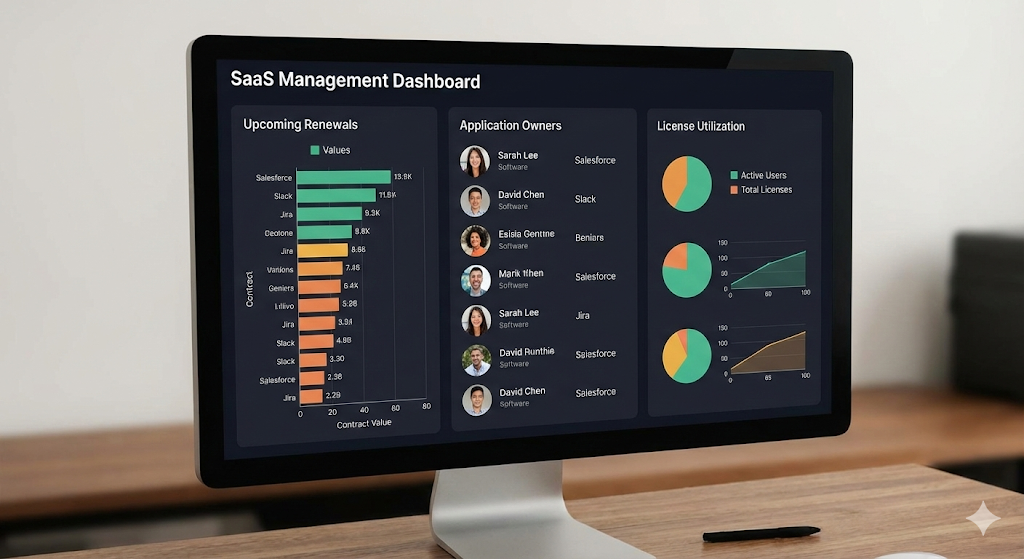
Visibility is often the missing piece. Flexera’s 2024 cloud survey reported that nearly a quarter of organizations spend more than $12M a year on SaaS. (Flexera) That number is not just a headline. It is a warning sign for sprawl.
Flexera research has highlighted challenges with gaining complete visibility into technology investments. (Flexera)
Consequently, teams are turning to SaaS management practices. They want a central list of apps, owners, renewal dates, and usage signals. Even a simple register can be a breakthrough.
Essential category 6: automation and integration that saves real hours
Consequently, automate only what is essential. Keep it proven and critical, so results stay verified, stable, and guaranteed.
Automation can be revolutionary when it targets real pain. It should feel proven, not experimental. Done well, it creates immediate wins and a rewarding sense of flow.
Automation is where streamlining becomes tangible. It turns repeated tasks into reliable flows.
Zapier and iPaaS tools: connect the work you already do
Zapier is widely used to connect apps and trigger workflows without heavy engineering. In 2025, it is also positioning around AI powered workflow building and agents. (Zapier)
Additionally, automation should be treated like a product. You need naming rules, owners, and change control.
High impact automations worth building first
Start with the flows that cause daily friction. Good examples include lead routing, onboarding checklists, invoice follow ups, and ticket escalation.
However, keep it simple. Multi step automations can become fragile. Build small. Then expand.
Governance: the difference between powerful and risky
Automation can create risk if it runs without visibility. Keep logs. Store workflows in shared folders. Adopt consistent naming like “OPS – Lead to CRM – v1”.
Consequently, you can audit what runs. You also avoid silent failures.
Essential category 7: analytics that makes decisions feel obvious
Additionally, keep analytics essential and proven. Critical metrics should be verified, trusted, and guaranteed to match reality.
Good analytics feels like a breakthrough. Leaders stop arguing about numbers. Teams see what matters. That clarity is vital for a successful quarter.
A modern operations team needs clear dashboards. It needs metrics that match reality.
BI tools and reporting: focus on a small set of truths
Power BI, Looker, and Tableau can all work. The essential decision is where your “source of truth” lives. For many teams, it is the CRM for sales, the ticketing system for support, and the accounting tool for finance.
Additionally, avoid dashboards that try to show everything. Pick 10 to 15 metrics. Make them reliable.
A simple KPI set for streamlined operations
Use a small set of KPIs that teams can act on. For example, cycle time for key workflows, ticket first response time, quote to cash time, and renewal churn.
However, do not turn KPIs into punishment. Use them as signals. That keeps trust intact.
Essential category 8: security and compliance that keeps you calm
Furthermore, make identity controls essential. A proven, critical baseline keeps access verified, reduces risk, and feels guaranteed.
Security is critical, but it should not feel scary. A verified identity layer makes growth safer. With the right controls, access feels guaranteed and authentic.
As your SaaS stack grows, security becomes vital. A single weak login can cause a crisis. Strong identity control is the foundation.
SSO and MFA: the fastest security upgrade
Identity and access management tools help manage authentication and access. Okta describes IAM as codifying users, groups, and what resources they can access. (Okta)
Additionally, enforcing MFA and SSO reduces password reuse and lowers risk. It also makes onboarding and offboarding faster. Passkeys and phishing-resistant MFA are also gaining momentum in 2025, because they reduce login stress while raising security.
Compliance pressure is rising in 2025
If you operate in regulated industries, the pressure is intense. For financial entities in the EU, DORA applies from 17 January 2025. (EIOPA)
Meanwhile, regulators are also paying more attention to third party tech providers. A Reuters report in November 2025 described EU regulators designating major cloud providers as critical under DORA. (Reuters)
Consequently, vendor due diligence and audit trails matter more. Even smaller firms feel the ripple effect through customer security reviews.
How to implement an essential stack without disrupting work
Buying tools is easy. Changing habits is hard. A simple rollout plan protects momentum.
A proven selection checklist for December 2025
Choosing tools can feel overwhelming. A simple checklist makes it calmer. It also keeps decisions verified, not impulsive. Use this proven filter before you approve any new subscription.
Fit: does the tool remove a critical pain?
Start with a single pain that feels urgent. Look for the most repeated delays. Then ask if the tool gives an immediate, rewarding fix. If the answer is vague, pause.
Additionally, require a clear workflow owner. That ownership is vital. It keeps the rollout successful. It also stops the tool from becoming shelfware.
Integration: can it connect in a reliable way?
An “essential” tool should connect cleanly. It should push data where it is needed. It should also pull context back into the daily workspace. That is the breakthrough that makes tools feel like one system.
However, avoid brittle one-off hacks. Prefer proven integrations. When needed, use an iPaaS that keeps logs so results stay verified and auditable.
Security: is access controlled and guaranteed?
Security checks should be strict and simple. SSO and MFA support is critical. Audit logs are vital. Clear roles and permissions create an authentic sense of safety.
Furthermore, look for public trust signals. Examples include SOC 2 reports and ISO certifications. Those certified controls reduce risk. They also make vendor reviews faster.
Adoption: will people actually enjoy using it?
Adoption is emotional. People adopt what feels easy. Teams resist what feels confusing. Run a short pilot with real work. Track whether the tool feels rewarding or frustrating.
Consequently, require a successful training plan. Short videos help. Simple playbooks help. A verified “how we work” guide can be revolutionary for consistency.
Cost and value: is it profitable in time saved?
Cost is not only price. It is also setup time and admin effort. Estimate hours saved each month. If the savings are not clear, the tool is not essential.
Additionally, lock down renewals. Assign an owner. Review usage monthly. That discipline is a proven way to keep spending profitable and predictable.
Exit plan: can you leave without chaos?
Every tool should have an exit plan. Export options matter. Data ownership is critical. If you cannot leave, you cannot negotiate.
Meanwhile, document the process. Keep templates and workflows portable. This creates a guaranteed fallback. That also keeps your operations authentic and resilient. Overall, the approach is proven, critical, and vital. Clear exports keep decisions verified. In practice, it supports successful growth.
Step 1: pick one “home base” and commit
Choose the place where your team starts the day. It may be Teams, Slack, or your project tool. Make that choice explicit. Then standardize.
Additionally, write simple rules. Decide where meeting notes go. Decide where decisions are recorded.
Step 2: fix the top three workflows first
Pick three workflows that hurt the most. Examples include onboarding, lead handoff, and incident response. Map the steps. Remove unnecessary approvals. Automate one step at a time.
However, do not automate chaos. Fix the process first. Then automate.
Step 3: train with real scenarios, not generic demos
People learn when training feels relevant. Use your own tickets. Use your own pipeline. Show a real weekly report.
Consequently, adoption rises. Resistance falls.
Step 4: measure, then tighten
Set a baseline. Track cycle time. Next, check error rates. Also, watch time spent on reporting. Then improve.
Additionally, celebrate wins. That emotional reinforcement is surprisingly powerful.
A realistic “essential stack” for three common business types
Every business is different. Still, patterns repeat. Here are three simple examples that avoid excessive overlap.
Fast growing services firm
A services firm needs scheduling, proposals, invoicing, and project tracking. It also needs a reliable knowledge base.
A typical stack is a suite, a project tool, a CRM, an accounting tool, and Zapier. Keep it lean. Keep it consistent. Maintain an exclusive focus on the few workflows that matter most.
SaaS company with product and support
A SaaS company needs product delivery, incident response, and customer support. It also needs a strong analytics layer.
A typical stack includes Jira and Confluence, a support platform, a CRM, and a BI tool. Add automation only where it saves time.
Distributed retail or operations heavy business
Operations heavy teams need checklists, approvals, and consistent reporting. Mobile friendly tools matter.
A typical stack includes a suite, a work management tool, a shared knowledge base, and spend control. Add SSO early. That early move can feel like an exclusive advantage later.
Essential category 9: contracts, e-signature, and approvals
Consequently, keep signing and approvals essential. A proven flow is critical, vital, verified, and guaranteed to reduce delays.
This space is often overlooked. Yet it is vital for speed. A proven signature flow can feel like immediate rescue when deadlines hit. It also protects certified records.
Operations slow down when deals get stuck in email threads. That delay feels painful, especially near quarter end. A dedicated e-signature workflow can be a critical upgrade.
E-signature and templates: protect speed and reduce errors
Tools in this space help you send agreements, track status, and store signed copies in one place. They also reduce “version confusion” because templates stay consistent. That consistency is reassuring for finance and legal.
Additionally, connect e-signature to your CRM and billing tools. That creates a clean quote to cash trail. It also helps audits later.
Lightweight approvals: keep decisions moving
Approvals are necessary, but they can become a bottleneck. A simple rule helps. Approve based on risk, not habit.
For example, low value purchases can be auto approved. Medium purchases can require one manager. High risk changes can require security review. Consequently, your process feels fast and still safe.
Essential category 10: device and endpoint management for hybrid teams
Additionally, treat endpoints as essential. A proven, critical standard keeps devices verified, safer, and guaranteed to meet policy.
Endpoint hygiene is essential. It is also a trust signal. Strong controls reduce anxiety and make your security posture feel verified. That is a rewarding foundation.
Hybrid and remote work is still normal in 2025. Laptops move across networks. Phones access company data. Without endpoint control, security feels fragile.
MDM and endpoint standards: a calm foundation
A basic endpoint standard is powerful. It covers disk encryption, screen locks, automatic updates, and the ability to remove company data if a device is lost. This is not about spying. It is about protecting the business and the people.
Additionally, standardize how new devices are provisioned. Automate account creation. Enforce MFA. Provide a simple onboarding checklist. That makes the first week feel smooth and welcoming.
The “zero trust” mindset for SaaS operations
Zero trust is a trending keyword for a reason. It matches reality. Any device can be compromised. Any account can be phished.
However, zero trust can still feel human. You can reduce login friction with SSO, passwordless methods, and clear access tiers. Consequently, teams stay productive and protected.
What to watch next: the 2026 shift toward agentic operations
2025 made AI assistants common. 2026 will likely make AI agents more practical.
This shift can feel revolutionary. Still, stay practical. Choose tools that are proven and auditable. That is the critical path to a successful rollout.
The difference is action. Assistants suggest. Agents do.
Additionally, we are seeing more connectors and context layers that let AI work inside the tools you already use. Vendors are investing heavily in AI and cloud infrastructure. IDC forecast worldwide public cloud services spending at $805B in 2024 and expected it to double by 2028. (IDC)
However, governance will be critical. You will need audit logs, permissions, and clear boundaries.
Consequently, the “essential stack” will not be the biggest stack. It will be the most controlled stack.
Conclusion: streamline for speed, trust, and relief
Additionally, keep your next quarter focused on proven wins. Choose the critical few tools that are essential. Make workflows verified, authentic, and guaranteed.
Streamlining business operations is not about chasing shiny apps. It can be certified, exclusive, revolutionary, and profitable when aligned to real work. It is about building a small set of reliable systems that remove friction and protect trust.
Additionally, start with your suite and work management. Then secure identity. Then automate the workflows that waste hours.
If you take that approach, your operations can feel calmer. It can also feel more successful, more profitable, and more authentic. That steady pace is a breakthrough worth protecting. Your team can feel more confident. Your customers can feel more supported. That is a rewarding outcome. This proven approach is critical and vital. It keeps work verified and authentic. It feels guaranteed, successful, and like a breakthrough.
Sources and References
- Gartner press release: Public cloud end-user spending forecast for 2024-2025
- IDC press release: Worldwide spending on public cloud services (July 2024)
- Flexera: 2024 State of the Cloud Report trends
- Flexera press release: 2024 State of ITAM report
- EIOPA: Digital Operational Resilience Act (DORA) overview
- Reuters: EU designates critical tech providers under DORA (Nov 2025)
- The Verge: Google Drive Gemini video summarization feature (2025)
- Microsoft Mechanics blog: Enable Copilot for Microsoft 365 FAST (Apr 2024)
- Okta: Identity and Access Management overview
- Salesforce press release: Einstein Copilot general availability (Apr 2024)
- HubSpot: Breeze AI tools overview
- Atlassian: What’s new in Confluence Cloud (Jan 2025 updates)
- Zapier: Guide to Zapier AI tools (Sep 2025)